Design
During my two-week internship at Harbor Software Co., Ltd.
Internship Project
HSCmock Frontend UI Development
Harbor Software Co., Ltd. | Internship
Overview
During my two-week internship at Harbor Software Co., Ltd., I worked on the frontend UI development of HSCmock, a system designed to handle equipment operation data.
My main responsibility was to create mockup screens for system users. I developed the UI while checking requirements and specifications and considered the screen structure, input fields, and user interaction flow.
Project Period
August 17 – August 28, 2026
Role
Frontend Developer / UI Development
My main responsibilities included:
Frontend UI development
Screen layout design and implementation
Creating definition files
Reviewing requirements and specifications
Responding to UI review feedback
Implementing additional features
Discussing specifications and implementation methods with team members
Technologies
Next.js
React
TypeScript
Node.js
MUI
Visual Studio Code
HTML / CSS
Next.js, TypeScript, and React were new technologies for me. Through this internship, I learned how to use them in an actual development environment while building frontend screens.
Developed Screens
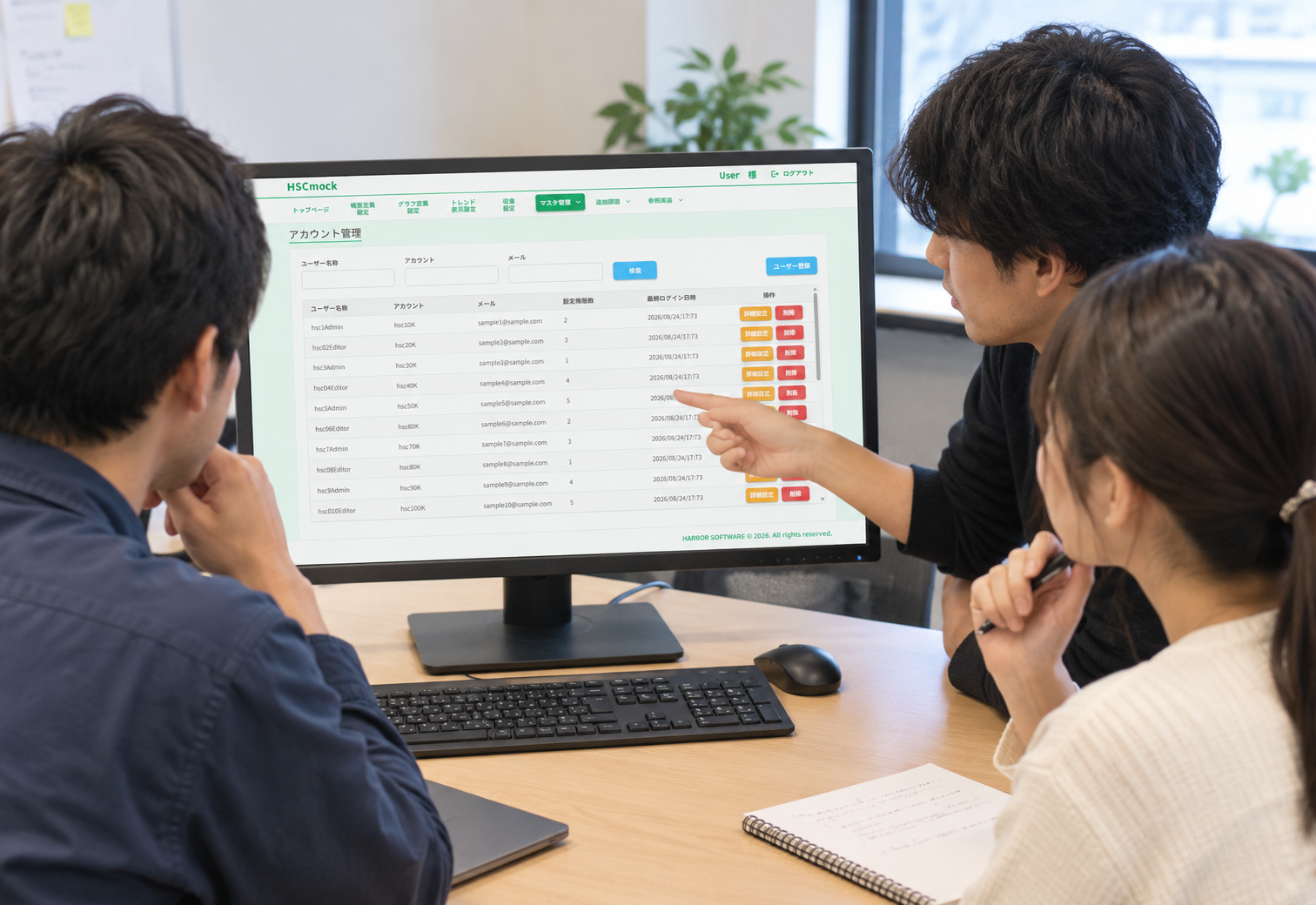
01. Account Management Screen
I developed an account management screen for managing users who use the system.
The list screen allows users to search by information such as username, account, and email address. The detail screen allows registered information to be modified.
I focused on creating a clear layout and organizing input fields so that users could operate the screen without confusion.
02. Master PLC Management Screen
I developed a screen for registering master PLCs associated with equipment and configuring which tags should be associated with imported values.
I carefully reviewed the requirements and implemented the rule that a maximum of 10 tags can be displayed.
I also adjusted the layout width to prevent the screen from breaking and maintain a consistent UI.
03. Register / Tag Mapping Screen
I developed a screen for managing the relationship between registers and tags.
For parts that were not specifically described in the provided materials, I considered how the UI should work and designed the interface accordingly.
To reduce input mistakes, I used dropdown menus wherever appropriate.
04. Trend Display Screen
I also worked on a trend display screen for viewing equipment data.
I adjusted the UI according to the requirements, including restrictions on the number of items that can be displayed.
05. Other Screens
In addition to the screens above, I also worked on:
Specification-related screens
Terminal management screens
Site management screens
Problem Solving
During development, I encountered situations where some requirements could not be implemented using the existing system structure.
Instead of simply accepting that something could not be done, I discussed the problems with the person in charge and other team members and worked on improving the shared implementation structure.
Problems I Solved
Search Input Error Handling
There was an issue in the event-log period search where the table disappeared when an invalid input was entered.
I helped solve this problem by adding a common mechanism to notify users when an input error occurred.
Adding Execution Button Types
I added different execution button types according to the requirements of the screens.
List Item Limit Validation
I implemented a mechanism to check the maximum number of items that could be displayed in a list.
This mechanism was also useful for a graph screen developed by another team member.
Review & Improvement
The screens I created were reviewed by the internship supervisor.
Based on the feedback I received, I made the necessary corrections and improvements.
Through this review process, I learned that frontend development is not simply about completing a screen. It involves a continuous process of:
Understanding requirements → Implementation → Review → Improvement
This gave me practical experience with an actual development workflow.
Challenge
One challenge I encountered was updating the list screen after information had been modified on the detail screen.
I could not complete this functionality because there was no available guide explaining how to implement this part using the existing system structure.
This experience taught me the importance of identifying what information is missing, asking questions, and discussing technical problems with other team members rather than trying to solve everything alone.
What I Learned
1. Understanding the Gap Between Requirements and Implementation
I learned that there can sometimes be a difference between what is written in the requirements and what can actually be implemented using the existing system.
Understanding this gap and finding an appropriate implementation approach is an important part of software development.
2. Team Development
One of the mechanisms I developed was also used by another team member’s screen.
This helped me understand that the code I write can contribute not only to my own work but also to the development of the entire team.
3. Importance of Code Review
Through reviews, I was able to discover improvements that I might not have noticed by myself.
I learned the value of receiving feedback and continuously improving my implementation.
4. Working with New Technologies
Next.js, TypeScript, and React were new technologies for me.
During the internship, I learned how to use these technologies in a real development environment and successfully created frontend screens.
My Growth
This internship gave me valuable experience that I could not gain through school learning alone.
In particular, I developed practical experience in:
Understanding requirements
Designing and implementing UI
Identifying and solving problems
Communicating and collaborating with team members
I learned that software development is not only about writing code. It also requires understanding requirements, communicating with others, responding to feedback, and improving the solution.
Internship Outcome
This internship was a valuable opportunity for me to experience frontend development in an actual development environment.
I experienced the complete process of understanding requirements, checking specifications, implementing screens, receiving reviews, discussing problems with team members, and improving the implementation.
Through this experience, I gained a better understanding of frontend development and team-based software development.
I will continue improving my skills in Next.js, TypeScript, React, and modern web development, and apply what I learned from this internship to future projects.
Technologies Used
Want a similar project?
I'm currently available for freelance work and would love to help you build your next big idea.
Let's Talk→Comments (0)
No comments yet. Be the first!